"TOWARDS SUSTAINABLE FUTURE"

XP-GT3500LABX
XP-GT3500LABX
IP / RS485 based Fingerprint Access Control System
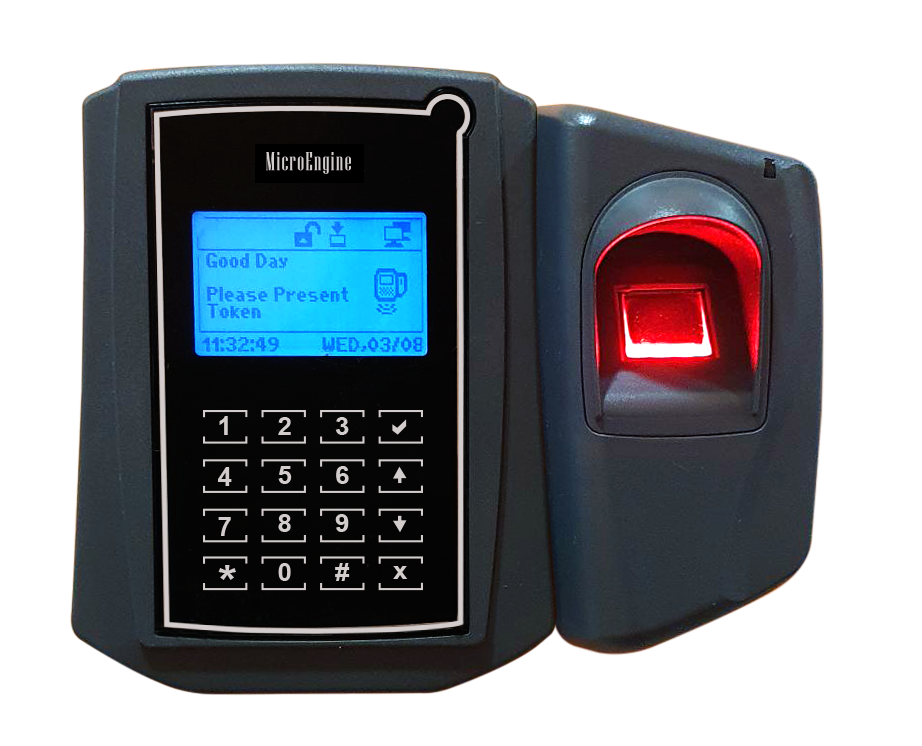
The XP-GT3500LABX Access Control System is designed to meet the high standards required in security for today and in the future. Attached with the fingerprint verification unit, the XP-GT3500LABX is able to cater for different levels of security needs and applications. The user may have an option to install a card identification first and still have the option to add the fingerprint verification when the need arises.
Product Features :
- Software Control
- Diagnostic
- Wiegand Interface
- External Relay Unit
- Firmware Upgrade
- Fingerprint Module
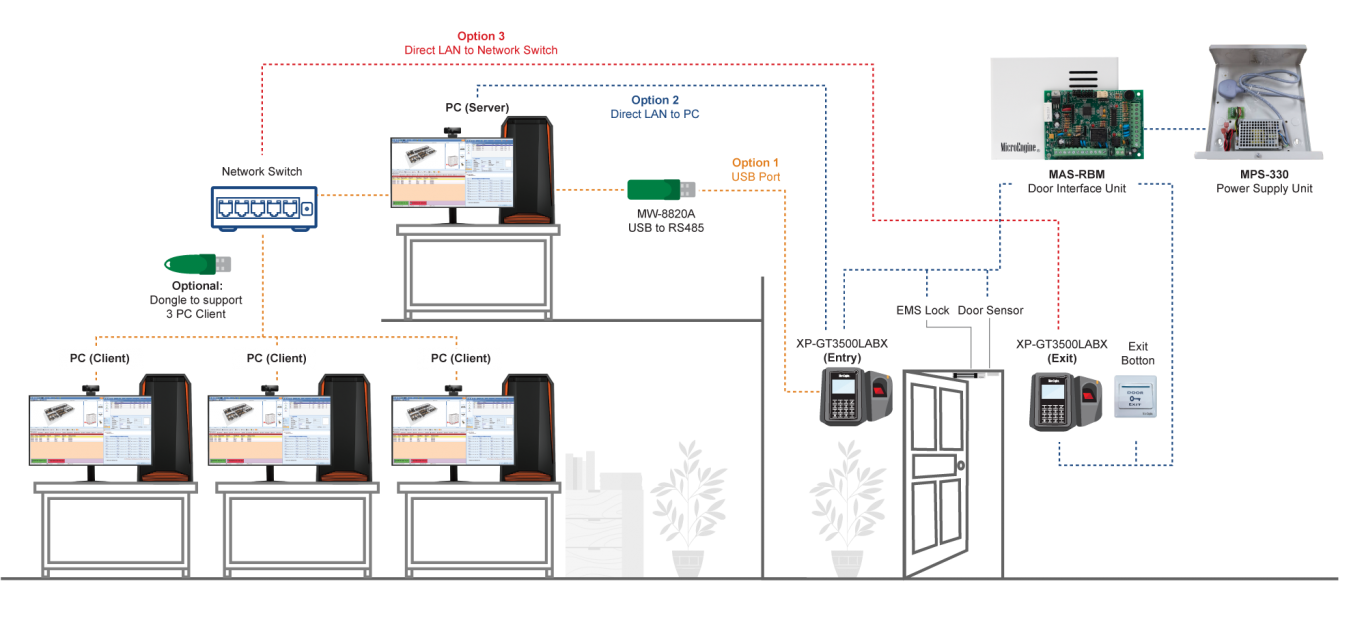
Product SpecificationConfiguration DiagramDocumentationFAQ
| No | Item | Features |
| 1. | Input Voltage | 12VDC |
| 2. | Current Consumption | 300mA |
| 3. | Processor | 32-bits RISC |
| 4. | Clock Speed | 80 MHz |
| 5. | Data Flash Memory | 32 MB |
| 6. | RAM | 512 KB |
| 7. | Built-in Real Time Clock with Battery |
Yes |
| 8. | Watchdog Timer | Yes |
| 9. | Communication Ports | RS485 / LAN |
| 10. | Supported Interface | MAS-RBM |
| 11. | Reader Input | ABA, Track 2, Wiegand 26 |
| 12. | Display | 128 x 64 graphic display with backlight |
| 13. | Keypad | Touch Sense Keypad with backlight |
| 14. | Operation Mode | Door Access mode, Time Attendance Mode |
| 15. | Build-in Card Reader | Yes – MIFARE Card and MIFARE Sector Reading |
| 16. | Card Holder Size | 3,500 User |
| 17. | Fingerprint Template Capacity | 3,500 templates (1:3500) |
| 18. | Anti-Passback | Yes (Local) |
| 19. | Dimension | 131 mm (H) x 158 mm (W) x 65 mm (D) |
| 20. | Enrolment Time | < 1 sec |
| 21. | Sensor Technology | Optical Sensor |
| No | Documentation |
| 1. |  DATASHEET PRODUCT : XP-GT3500LABX DATASHEET PRODUCT : XP-GT3500LABX |
FAQ
Video Tutorials
XP-GT/GTR Setup Guide (Network Setting)