"TOWARDS SUSTAINABLE FUTURE"

XP-M2000i
XP-M2000i
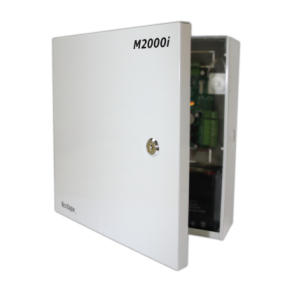
2 Door IP Access Controller
- Direct IP Lan
- Encrypted IP
- High Capacity
- True 2 Doors / 4 Readers Capability
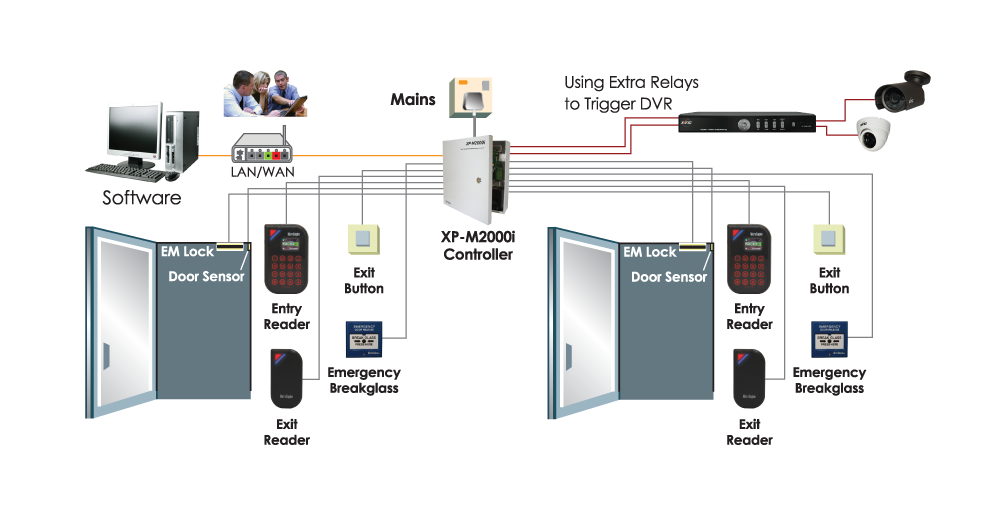
- Integration Reader (CCTV)
FeaturesConfiguration DiagramDocumentationFAQ
| No | Item | Features |
| 1. | No. of Doors | 2 Doors |
| 2. | No. of Readers | Max 4 Readers (Plato Readers) – 2 Entry / 2 Exit |
| 3. | Wiegang / ABA Reader | Yes – Max 2 |
| 4. | Connection to PC | 1. IP LAN (10/100 Base-T) / 2. RS485 |
| 5. | Connection to Readers | 1. RS485 – Plato Reader Series / 2. Wiegand/ABA |
| 6. | Card Holders | 10,000 (16 Digits) |
| 7. | Transactions | 50,000 |
| 8. | Time Setting | 255 Time Sets / 255 Time Zone (No Access Level Limits) |
| 9. | Holiday | 30 (2 sets) |
| 10. | Inputs | 10 Supervised/Digital (Switchable)
|
| 11. | Door Relay Output(s) | Yes (2) |
| 12. | Extra Relay Output(s) | Yes (2) – Configurable |
| 13. | Encrypted IP | Yes. AES 128 |
| 14. | WAN Dynamic IP | Yes |
| 15. | Real Time Clock | Yes (with On Board Battery) |
| 16. | Power Fail Monitor | Yes (with Power Level Monitoring) |
| 17. | Firmware Upgrade | Download from Software |
| 18. | Diagnostic | Yes – Using Built in Web Browser |
| 19. | Onboard LED Indicators | Yes – Input, Output, Run, Diagnostic, Error |
| 20. | Onboard Buzzer | Yes |
| 21. | Use with Other MicroEngine controllers | Yes |
| 22. | Dimension | 295mm (H) x 285mm (W) x 80mm (D) |
| 23. | Power | 240VAC |
| No | Documentation |
| 1. |  Product Brochure: XP-M2000i Product Brochure: XP-M2000i |
FAQ